Map a policy, and each endorsement shows on the section it changes
A policy is a cross-referenced document. A word in the exclusions means what the definitions say, unless an endorsement has changed it. Grounds for Insurance maps a policy you choose into an outline beside the PDF: declarations, coverage forms, definitions, exclusions, conditions and endorsements, each in its place. When the map can't place a change, it says so and asks you to pick the provision.
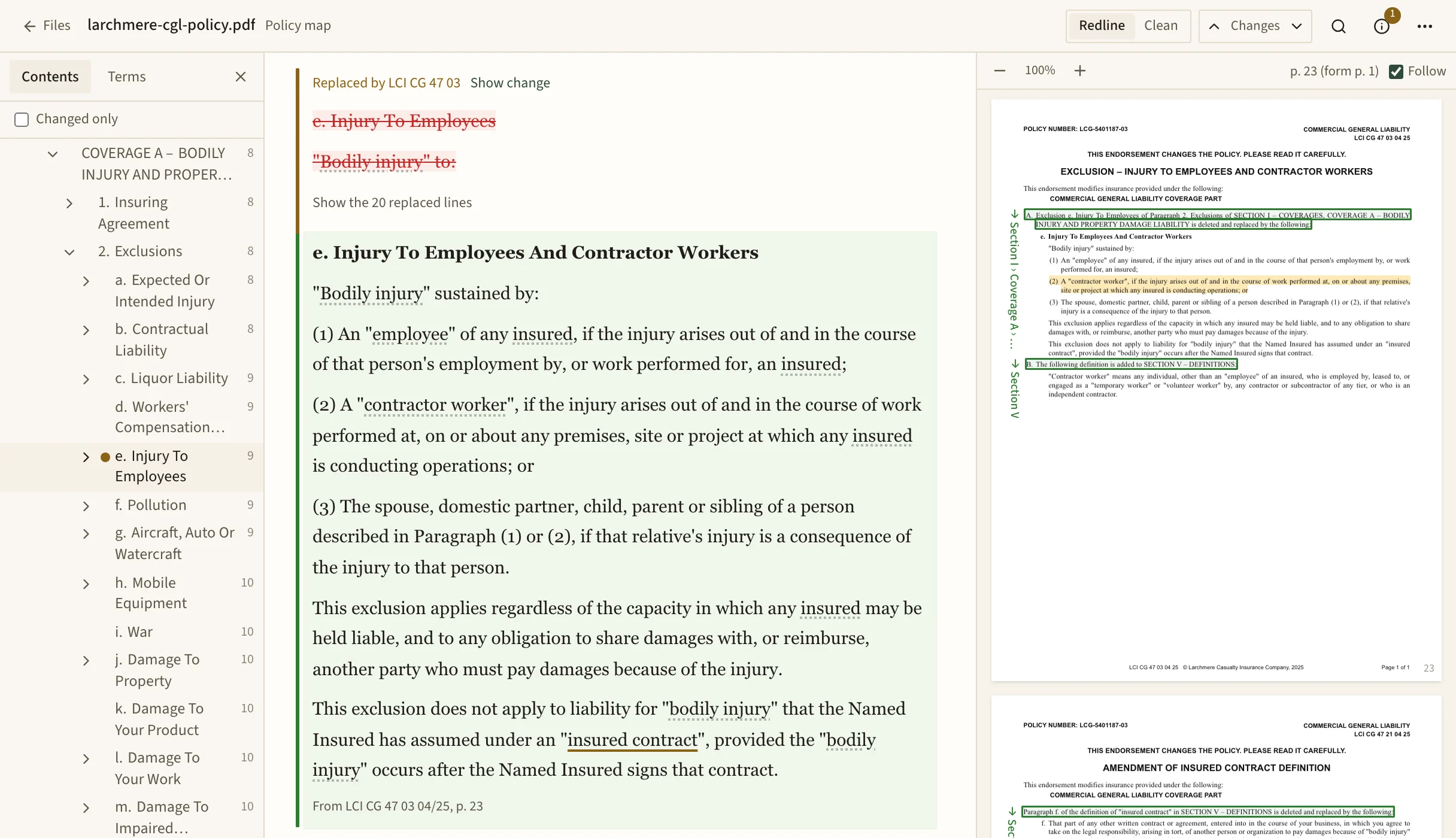
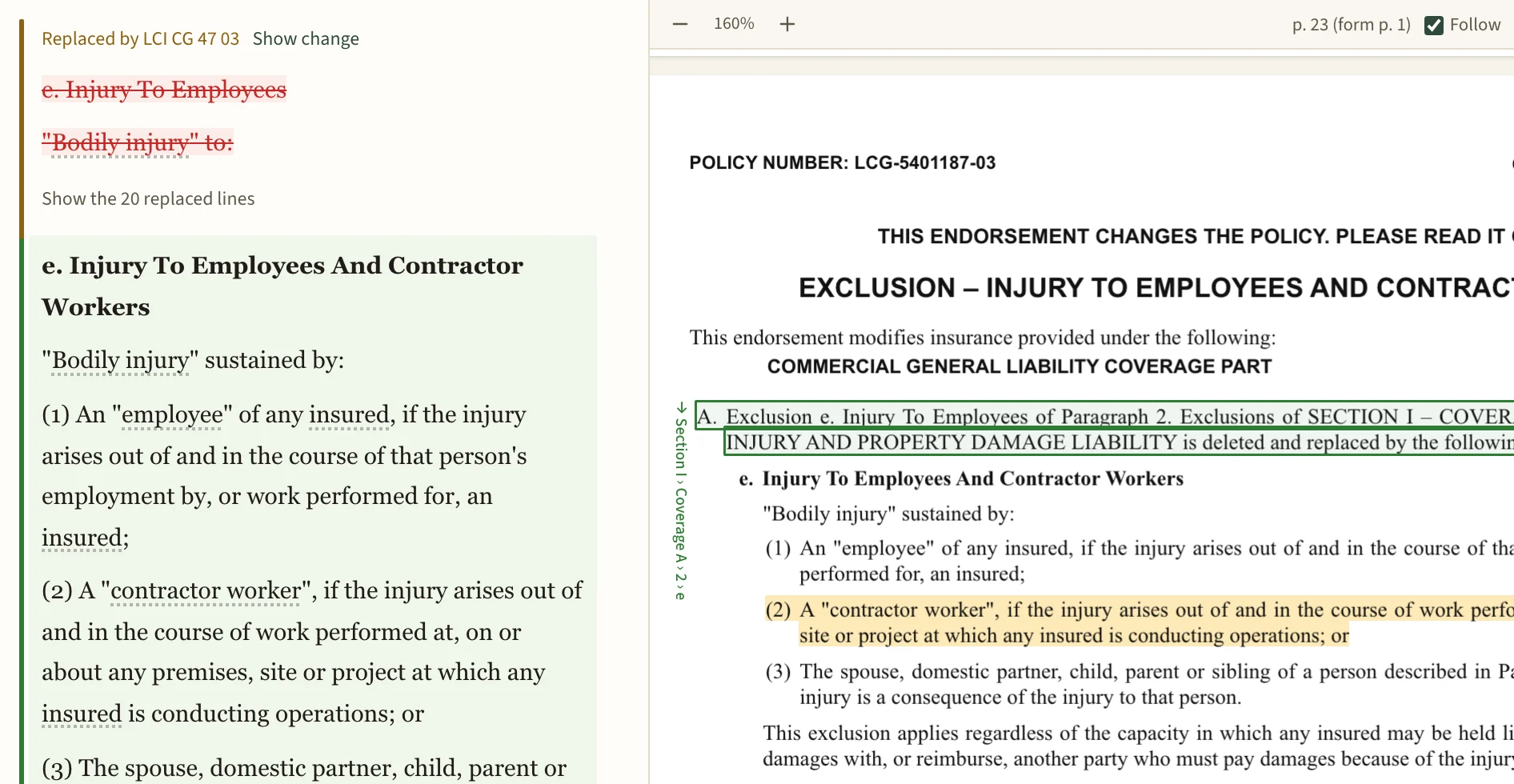
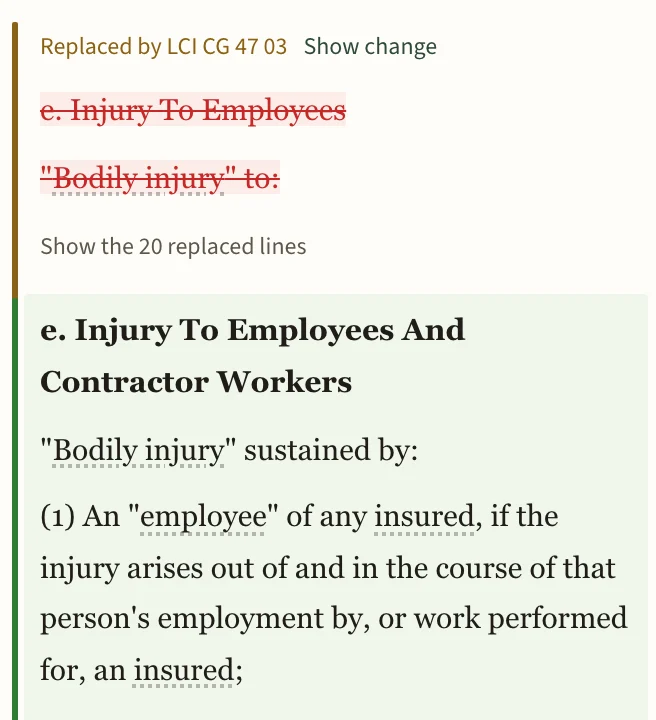
An endorsement is drawn onto the section it changes
Endorsements are written as instructions: this exclusion is replaced, that definition is amended, this paragraph is deleted. For each instruction, the map finds the section it points to and marks that section. An AI model finds the changes, and it can put one on the wrong provision. Before you rely on the map, check the change card, which shows the endorsement's own instruction and page.
Read the section in Redline, with the removed words struck through and the endorsement's wording set in under its form and page, or in Clean, with only the wording in force. Endorsements issued separately can be added to the same map.
A diagram of an invented liability policy's forms and sections in order, with lines from definitions to their uses, and a blue layer marking the provisions that nine endorsements replace, add to, amend or delete. One scheduled form is missing.
16 forms on the schedule, 15 attached. 104 sections, 27 defined terms, 332 uses. 9 endorsements make 17 changes.
The invented policy, drawn from the map Grounds made of it on 3 October 2026: every form in order, its sections as ticks, and grey lines joining each defined term to where it's used. The blue layer is what the endorsements change. The schedule lists one form that isn't in the policy.
List the changes
- LCI IL 71 02 04/25 replaces the Cancellation condition of the Common Policy Conditions.
- LCI IL 71 02 04/25 adds a condition to the Common Policy Conditions.
- LCI CG 40 12 04/25 adds additional insureds to Section II, Who is an insured.
- LCI CG 40 12 04/25 adds coverage to Section II, Who is an insured.
- LCI CG 40 12 04/25 adds an exclusion to the Commercial General Liability Coverage Part.
- LCI CG 40 12 04/25 adds a limit to Section III, Limits of insurance.
- LCI CG 41 06 04/25 adds a provision to the Other Insurance condition in Section IV.
- LCI CG 45 02 04/25 adds a deductible to Section III, Limits of insurance.
- LCI CG 46 11 04/25 amends paragraph 2. of Section III, Limits of insurance.
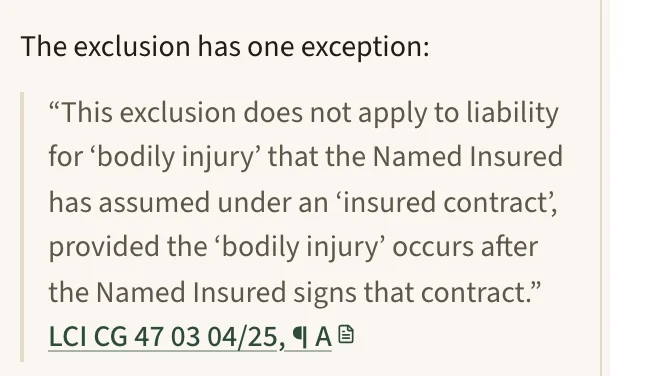
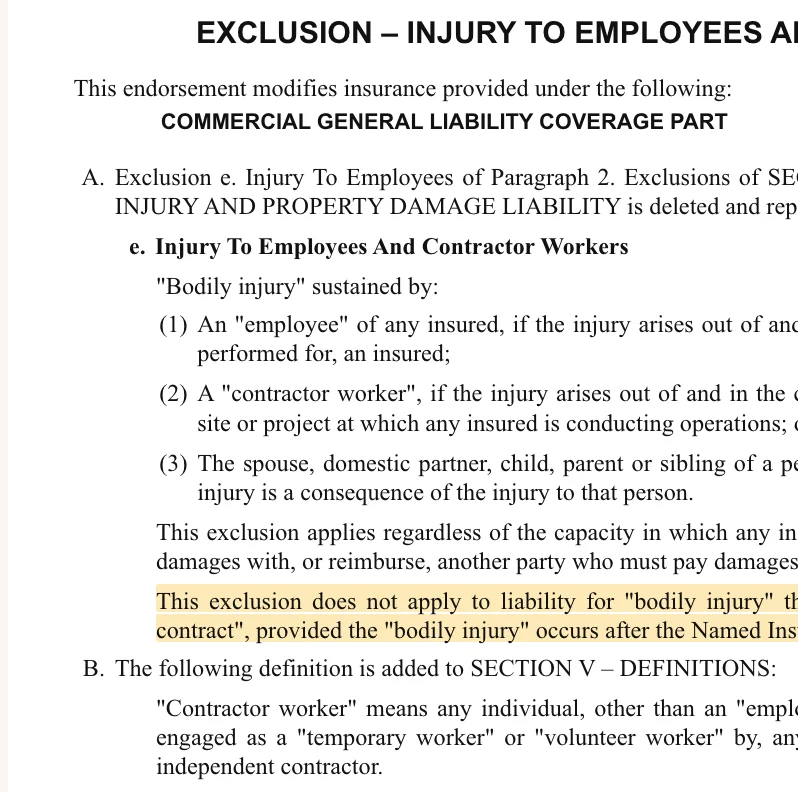
- LCI CG 47 03 04/25 replaces exclusion e. of Coverage A.
- LCI CG 47 03 04/25 adds a definition to Section V, Definitions.
- LCI CG 47 21 04/25 replaces paragraph f. of the definition of "insured contract".
- LCI CG 48 09 04/25 adds an exclusion to the exclusions of Coverage A.
- LCI CG 49 30 04/25 deletes Coverage C.
- LCI CG 49 30 04/25 deletes paragraph 7. of Section III, Limits of insurance.
- LCI CG 49 30 04/25 amends the Commercial General Liability Coverage Part.
- LCI IL 71 02 04/25 amends the When We Do Not Renew condition in Section IV.
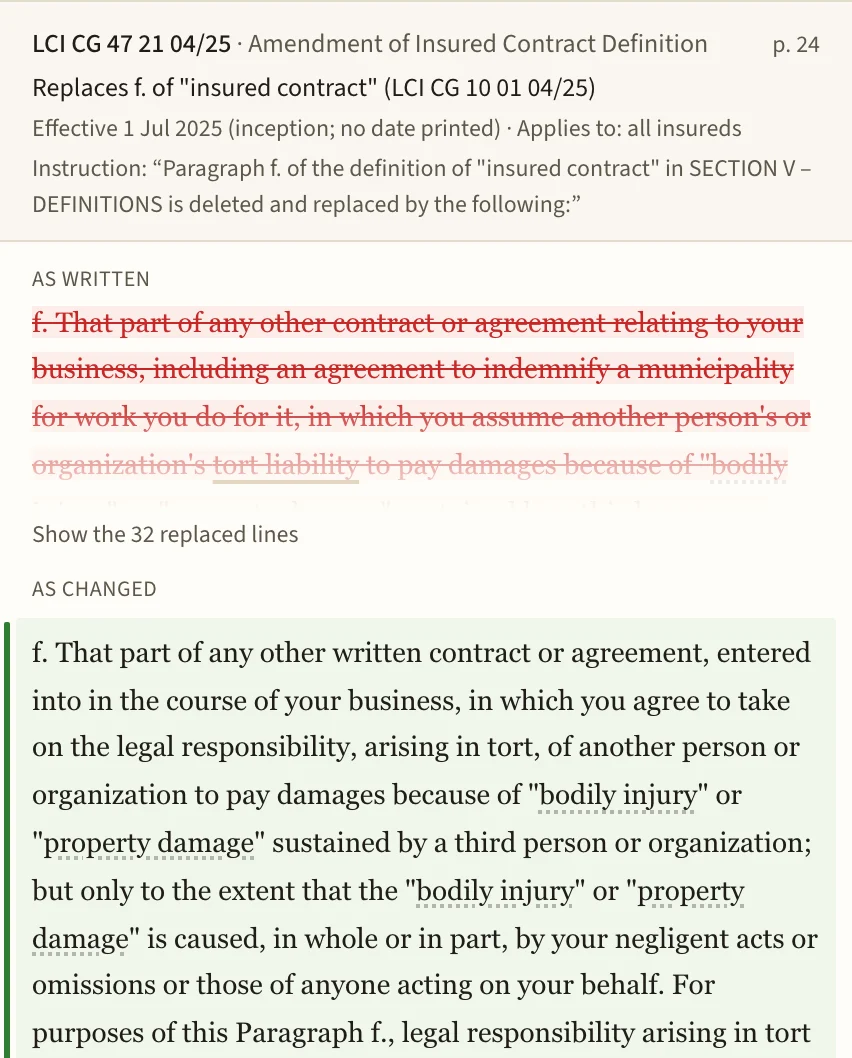
Click a defined term and its definition opens where you're reading
If an endorsement replaced the definition, you see the version in force and the one it replaced. If a term is defined twice and nothing says which controls, the map says that too. Terms used inside a definition are links, so you can follow one definition into the next, and the terms list shows where each one is used.
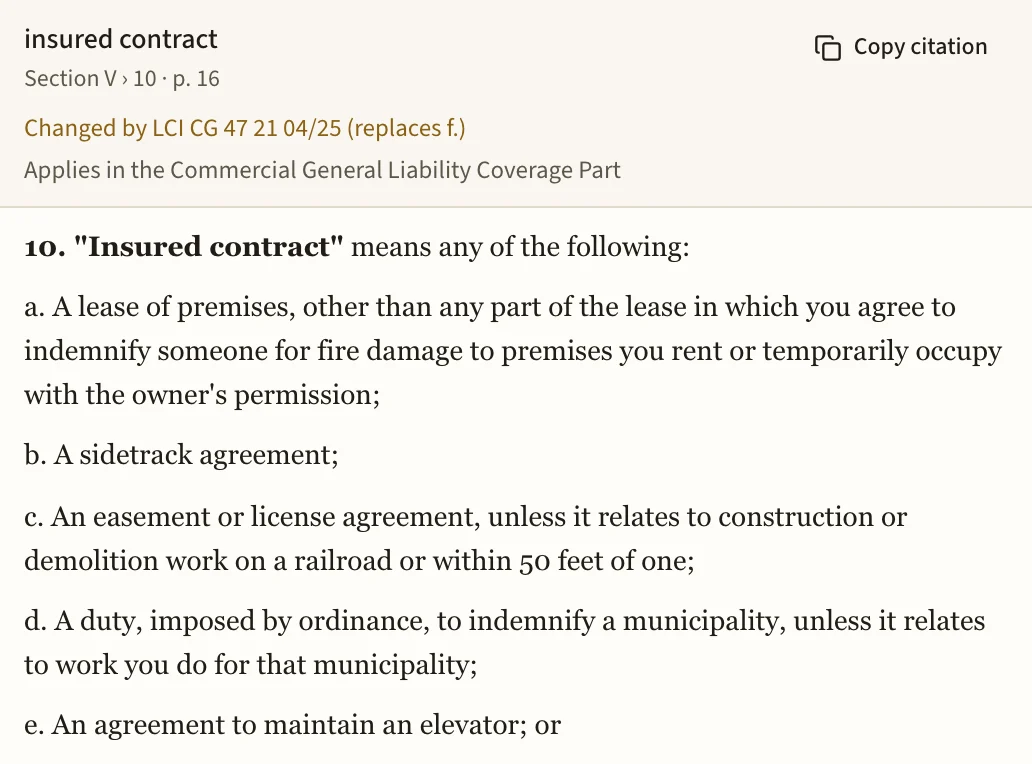
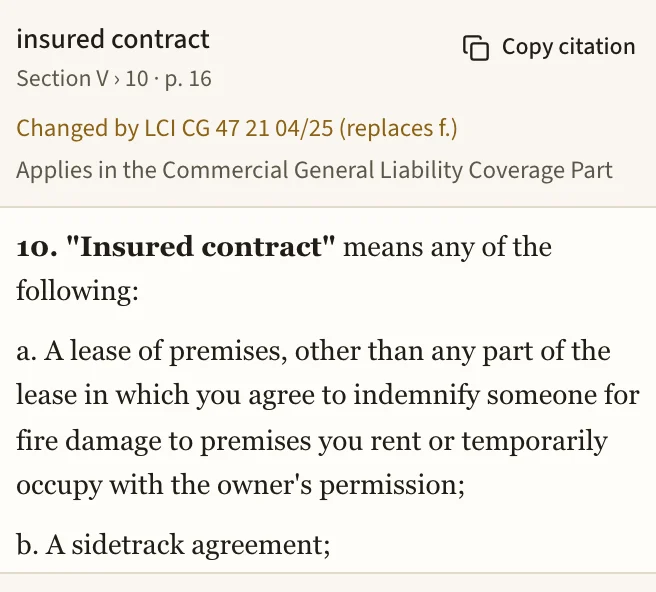
Ask a coverage question and the answer quotes the policy
In chat, the AI works from the policy and the rest of the account's documents, and answers with quotes from the policy language. The link under a quote opens the PDF at the highlighted words, and you can read the exclusion and its exception for yourself. With a mapped policy, the answer can also draw on the definitions and endorsements the map found.
The declarations come out as a table you can check against the page
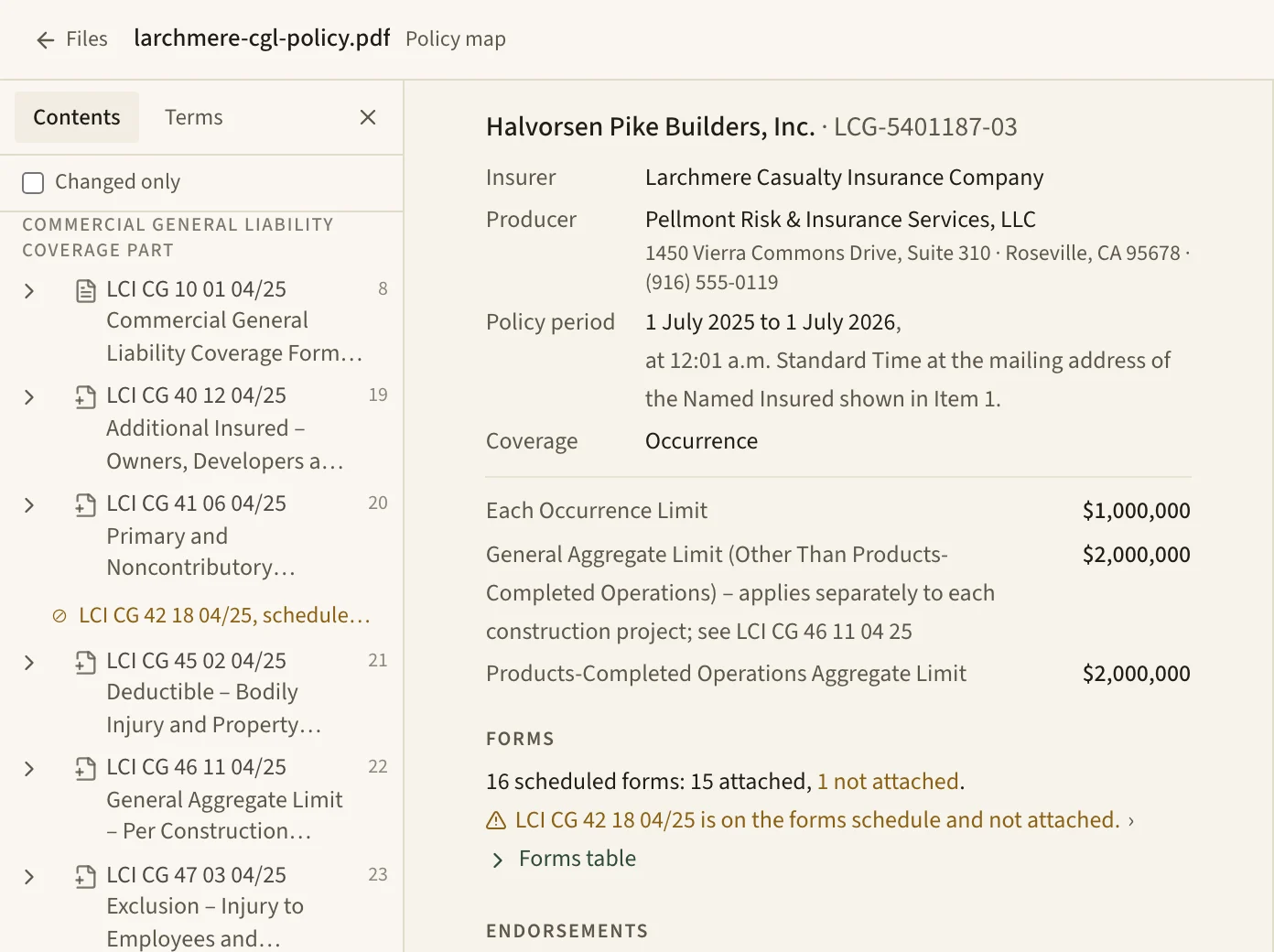
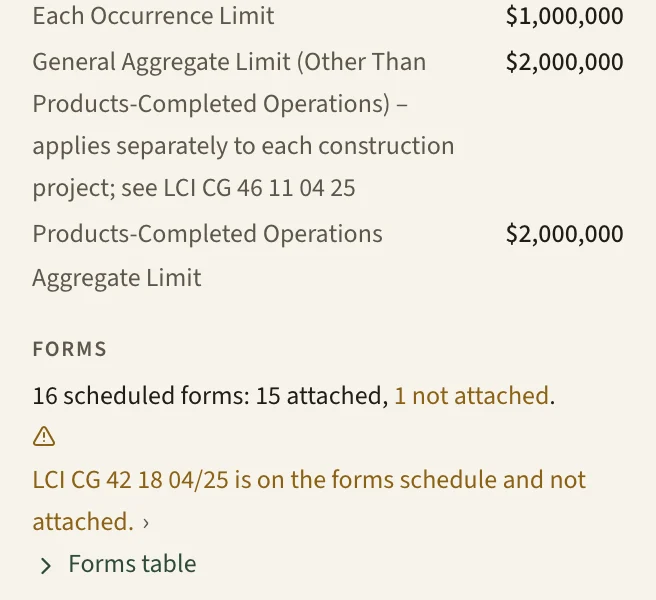
Named insured, policy period, limits, deductibles and premium are pulled into a table, and each value opens the declarations page it came from. The forms schedule is compared with the forms actually attached, and a form that's listed but missing, or attached but not listed, is called out.
For agencies and brokers, we build the system around your forms and your book of business
An agency's work runs through a handful of documents. We set up proposals, renewal letters and coverage summaries as templates and workflows in your formatting, and schedules and loss runs as spreadsheets the AI can fill in. A client portal can be added if you want clients to see and send documents in one place, with anything they upload held for your staff to approve. Tell me what leaves your agency as a document today, and we'll start there.
If you only need the policy map, say so when you write.
Where your policies are kept, and who can open them
- Storage
- Documents and records are stored with Supabase, our database host, in the U.S. East region.
- Models
- Model calls run on AWS Bedrock under zero-data-retention terms, so the model provider doesn't store what you send or train on it. Web search reaches other services, and only when it's used.
- Encryption
- Document text, summaries, chat messages and drafts are encrypted with your agency's own key before they're stored, and every query is scoped to your agency.
- Access
- We can restrict an account to its team, and the restriction covers pages, search and the AI's own tools. A security log records who opened, downloaded or exported each document.
- Your files
- Drafts download as Word files at any time, and we'll export your agency's records on request.
Tell me which policies and documents your team works through most
I'm Joe Wilbert. I read every note and answer it myself.